NetMonitor Pro · for macOS

A network console that earns its place on your second display.

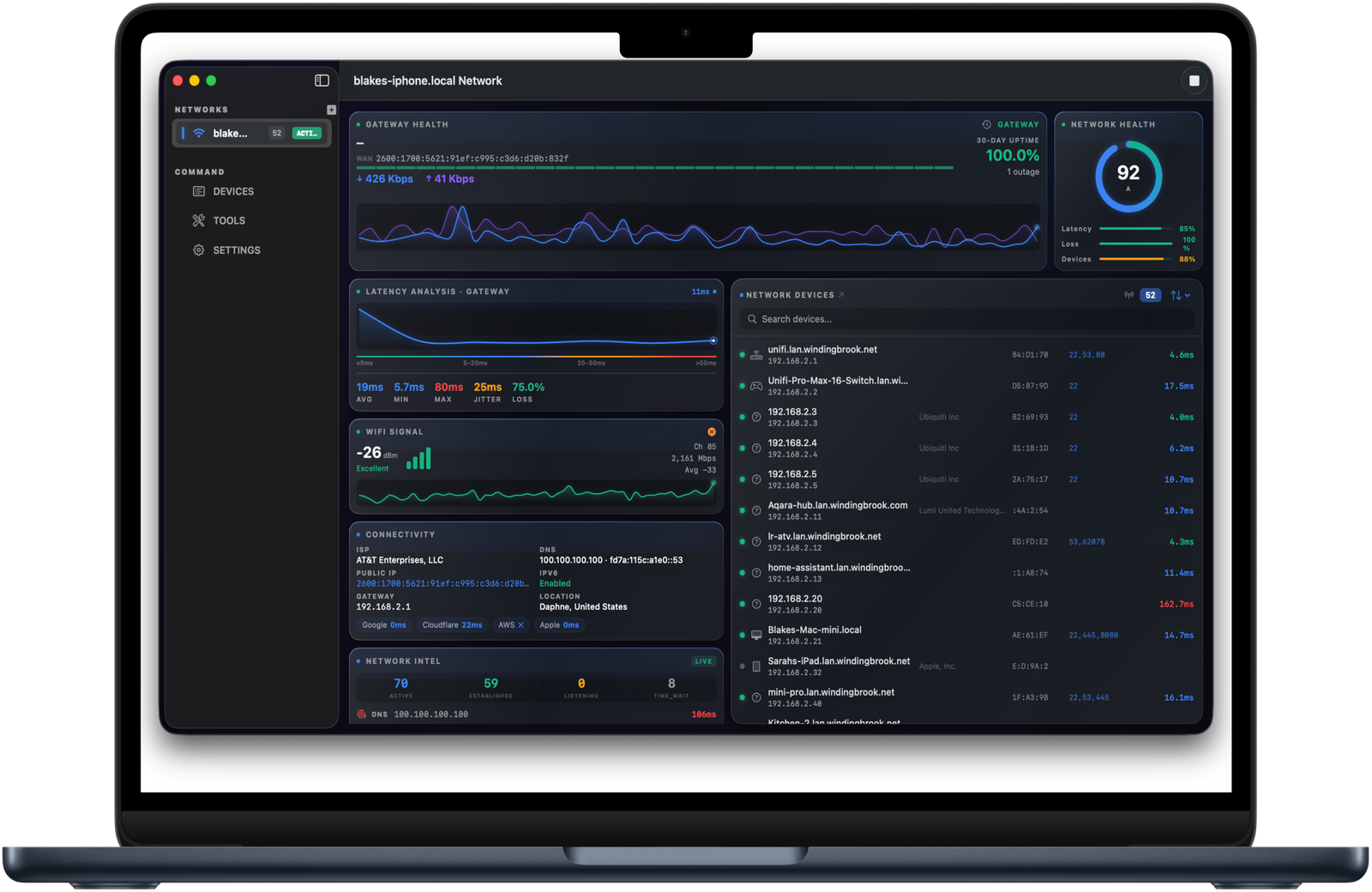
Multi-pane dashboard, gateway health graph, latency analysis, Wi-Fi signal, connectivity intel, and a live device list — all in a single Mac-native app that you'll keep open all day.

One-time · No subscription· Universal · Apple Silicon· macOS 14 Sonoma+
NetMonitor Pro dashboard on Mac
§ 01 — What it shows you

The instrument panel.

Devices

Every device on your LAN, profiled in real time.

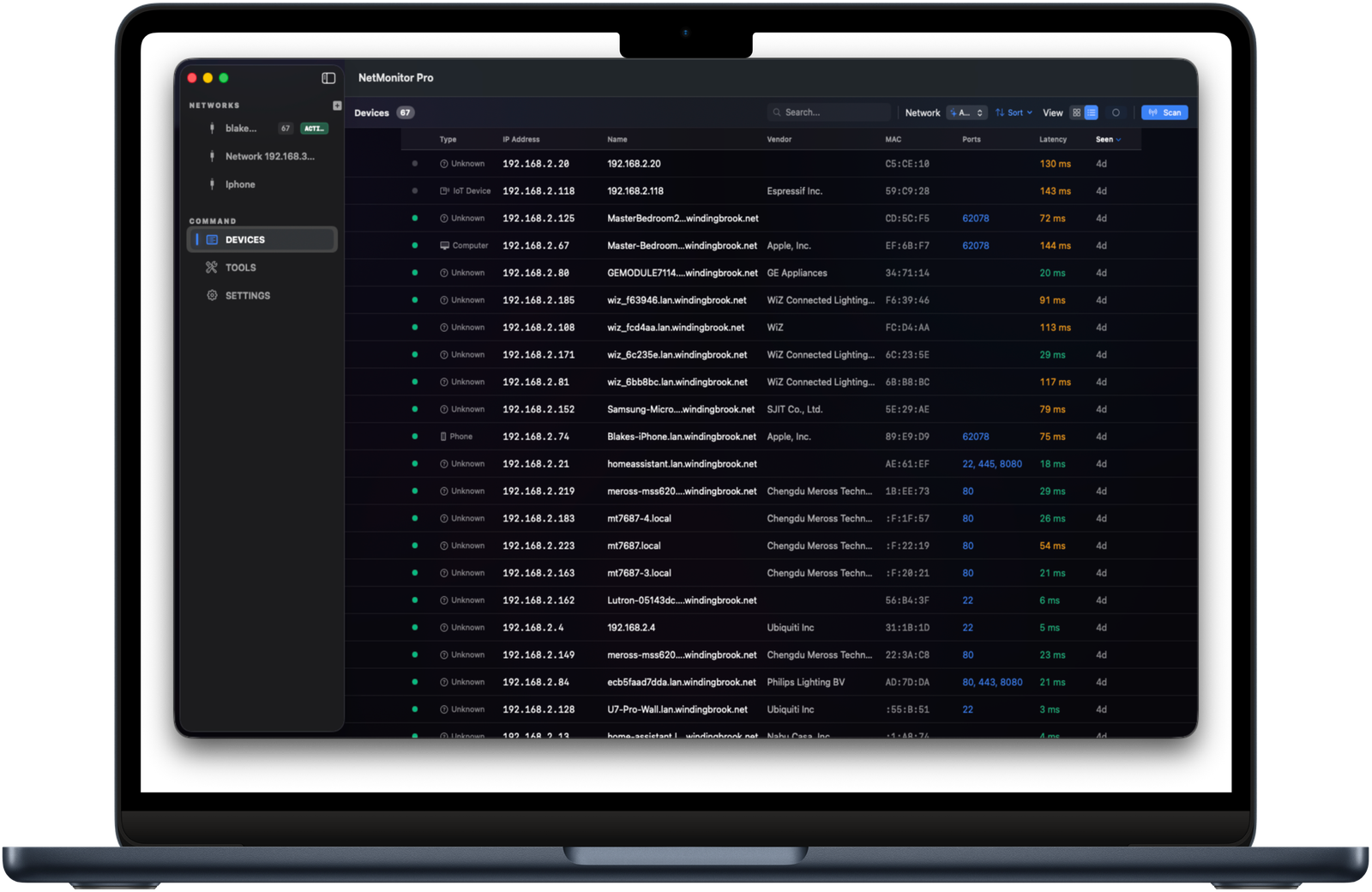
Bonjour, mDNS, ARP, port scan, vendor lookup. NetMonitor Pro paints a complete picture of what's on your network — IP, MAC, OUI vendor, open ports, latency, last-seen. Sort, search, filter, and drill into any device.

  • · Live discovery (mDNS, SSDP, NetBIOS)
  • · Vendor & OUI lookup
  • · Port scan per device
  • · Per-device latency tracking
Devices view
Geo Trace

Watch every hop chart itself across the globe.

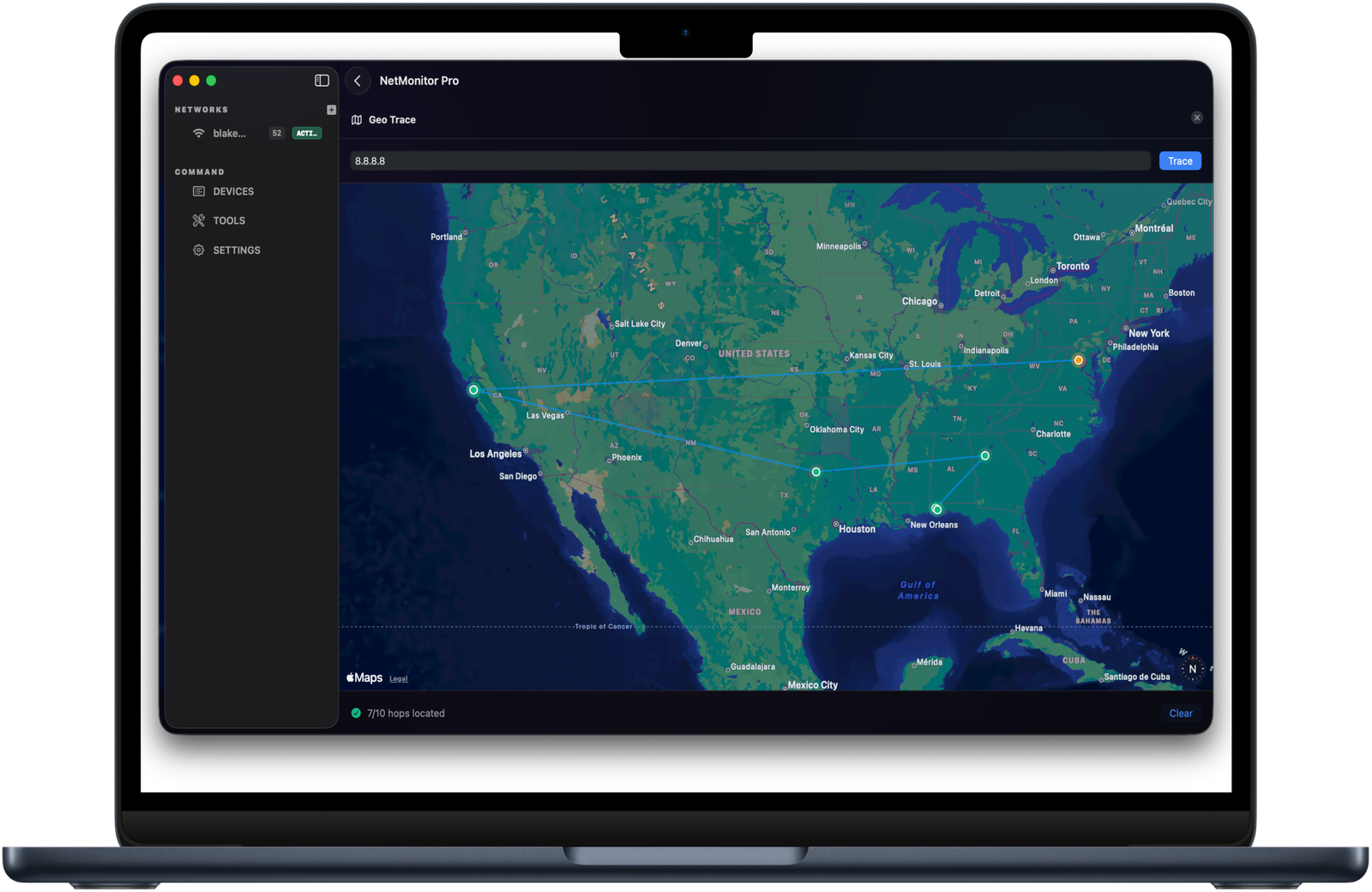
The traceroute you've been waiting for. Each hop plotted on Apple Maps with full metadata — ASN, ISP, RTT, geolocation. Switch between ICMP, UDP, and TCP probes. Save traces. Compare. Export.

Geo trace map
Wi-Fi Heatmap

Walk the rooms. See the dead zones.

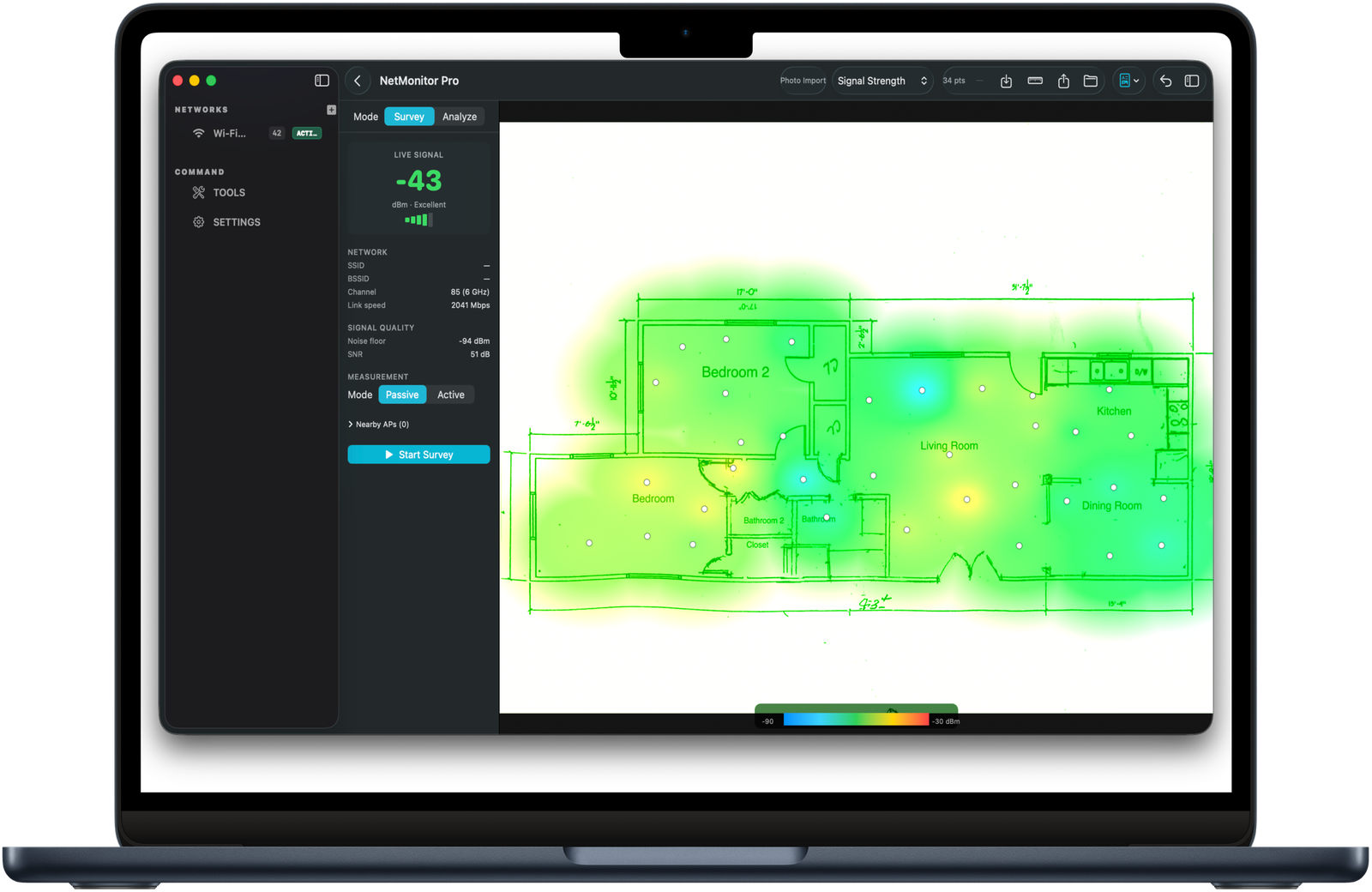
Drop a floor plan, walk the space, sample as you go. NetMonitor Pro paints a heatmap of signal strength, channel utilization, and link rate so you can place APs where they actually matter.

Wi-Fi heatmap with floor plan
Tools

The full toolbox — without leaving the app.

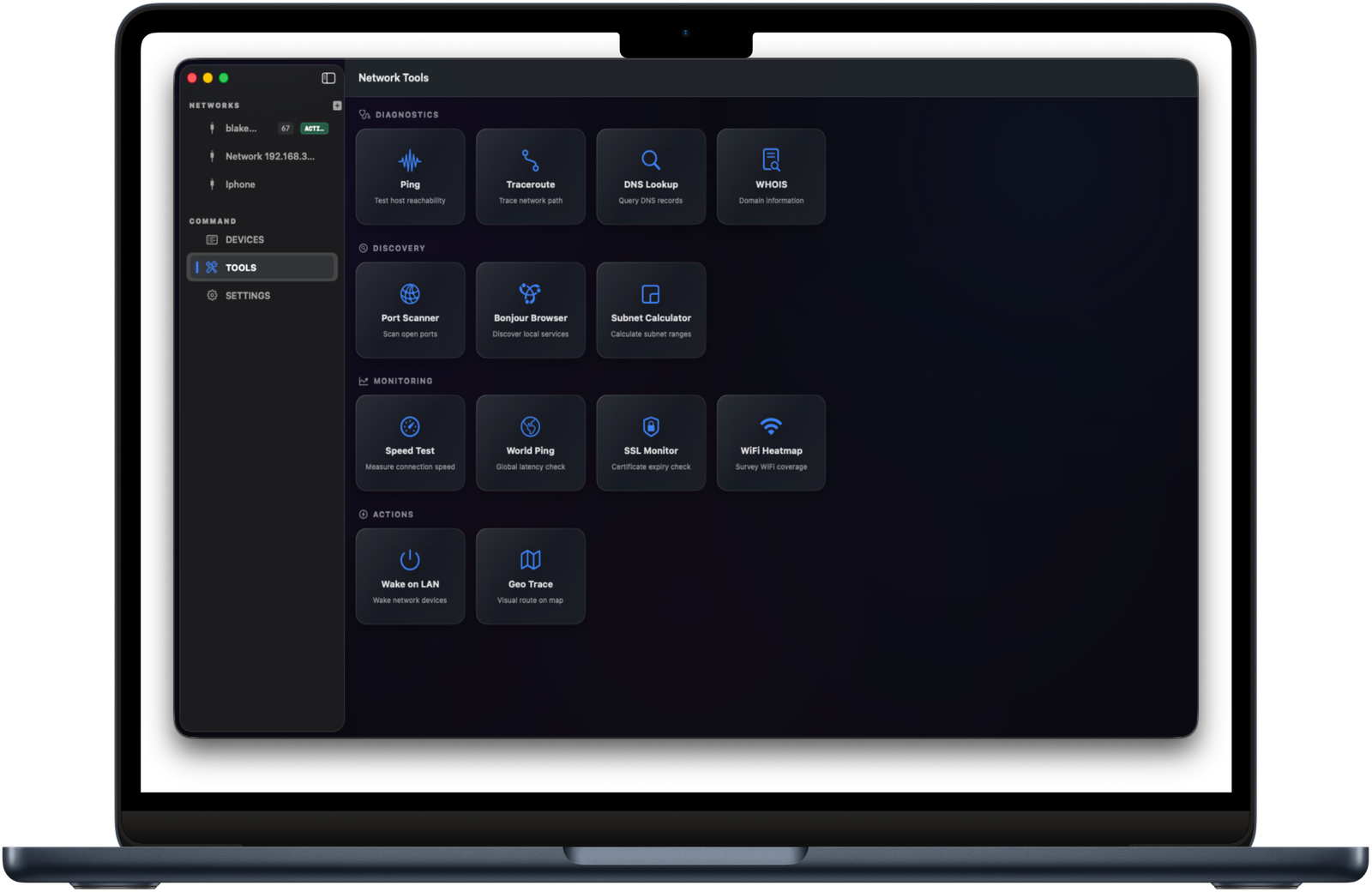
Ping, traceroute, DNS lookup, WHOIS, port scanner, Bonjour browser, subnet calculator, Wake on LAN, SSL monitor, world ping. Everything you'd otherwise pop a Terminal for, in a single beautifully arranged grid.

Network Tools grid
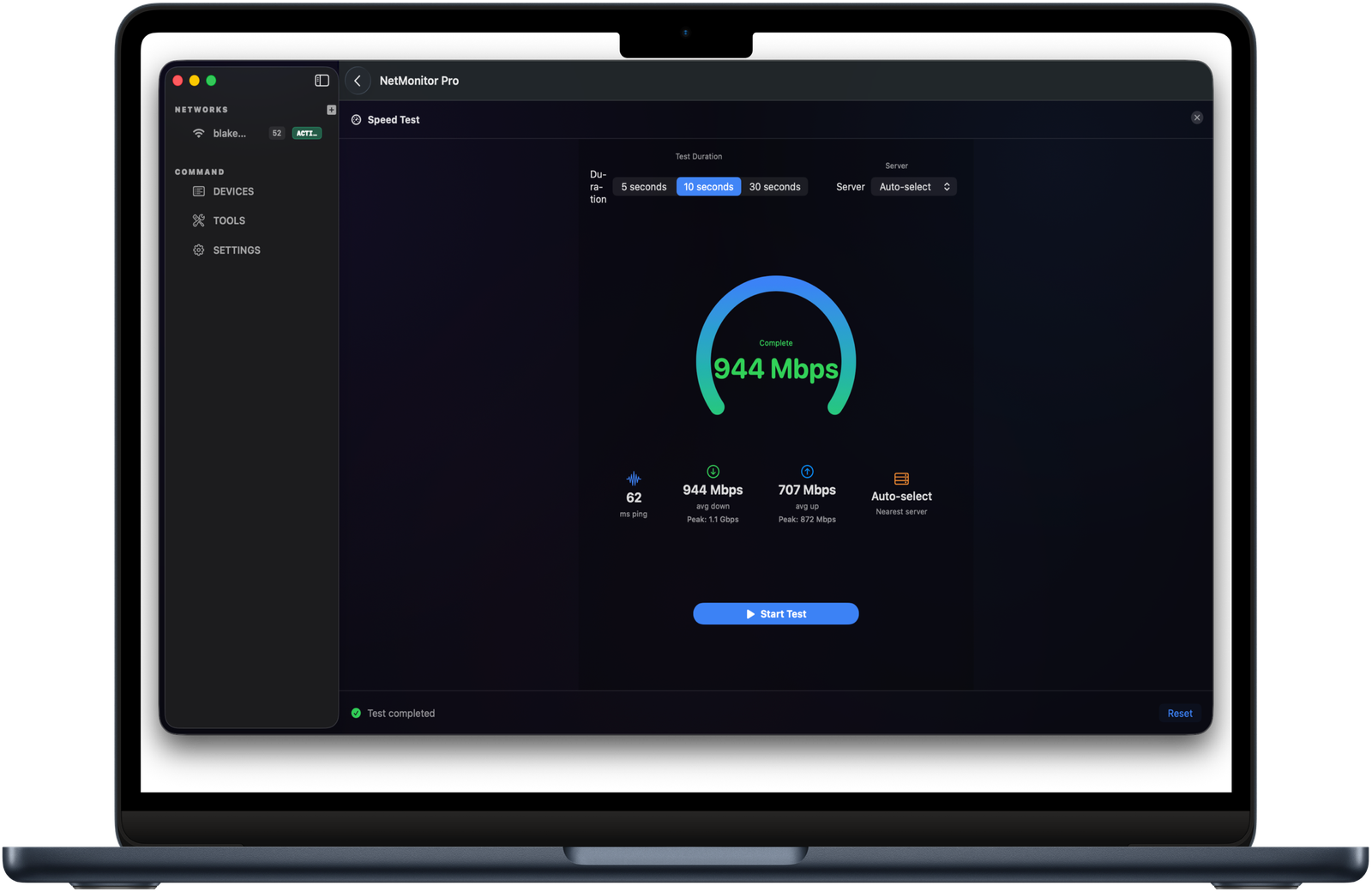
Speed

Speed tests, scheduled or summoned.

One-tap speed tests pull from a server you choose — or auto-select. Optionally run on a cadence and chart up/down/ping over time, so you have receipts when the ISP says "everything looks fine on our end."

Speed test
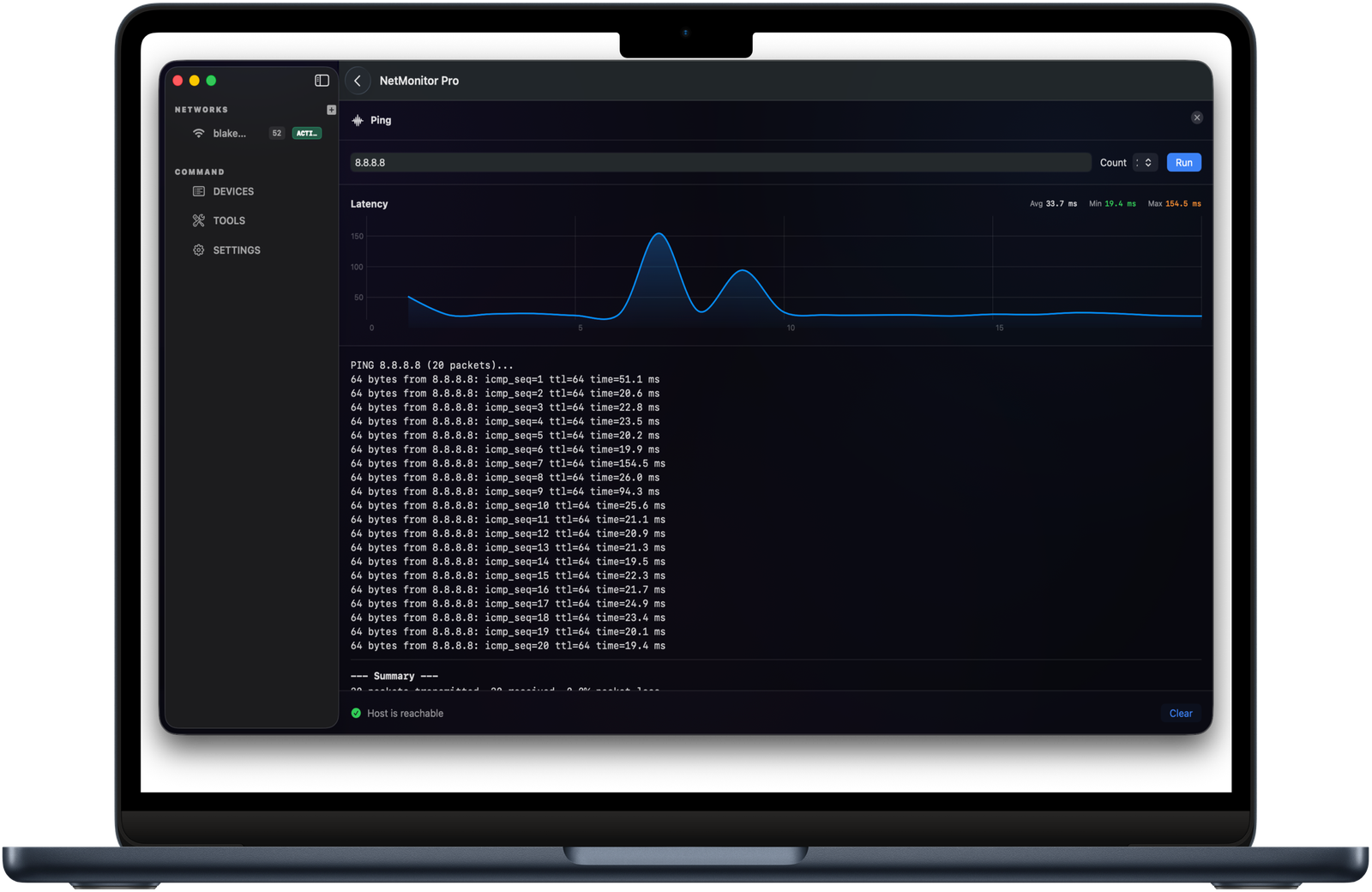
Diagnostics

Live ping with proper graphs.

Every diagnostic gets a real chart — not just a scrolling terminal. Latency over time, packet loss markers, jitter band, summary stats. Save the run. Share it. Stop arguing with support.

Ping with live latency graph
§ 02 — Specifications

The fine print.

Pricing
$9.99 · One-time · No subscription
Platform
macOS 14 Sonoma or later
Architecture
Universal · Apple Silicon & Intel
Distribution
Direct download · Mac App Store
Updates
Free updates within v2.x · Latest direct build available after purchase
Privacy
No accounts · No telemetry · No ads
Network access
Local only · Optional internet probes (you choose)
Refund
30-day refund on direct purchases
Ready when you are

Run diagnostics
like a pro.

NetMonitor Pro for Mac is a $9.99 one-time purchase. Buy direct for an immediate signed and notarized Mac download, or pick it up on the Mac App Store — same app, your choice.

$9.99Mac · One-time
  • Secure checkout by Stripe
  • Signed and notarized .dmg after payment
  • 30-day refund on direct purchases

Looking for the iPhone & iPad app? See NetMonitor Mobile →